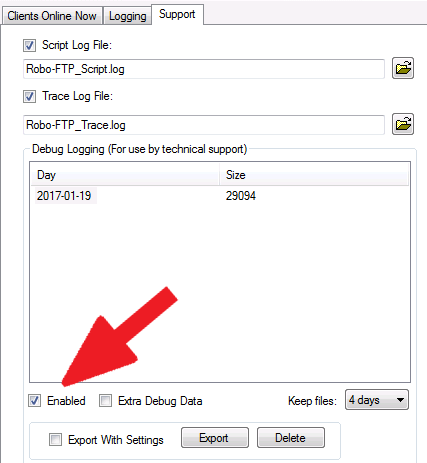
Support personnel may require a Debug Log when troubleshooting an issue. These files contain information about the operation of the Robo-FTP Server software combined with event script data and protocol data. Enable debug logging on the Information menu in the Server Console, under the "Support" tab, as shown below:
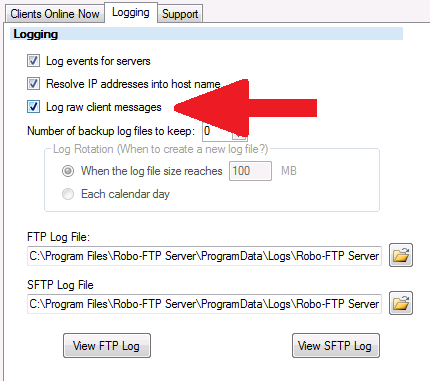
In many cases, the "Log raw client messages" option will also need to be enabled to diagnose protocol-level issues. This option can be enabled under the "Logging" tab:
To export a debug log for Technical Support, select the day or days that you want to export, click the "Export" button, then browse to the folder where you want to save the file. Exported logs are automatically compressed to make them easier to send via email without encountering message size limits.